What is a Korean 4-cut photo strip?
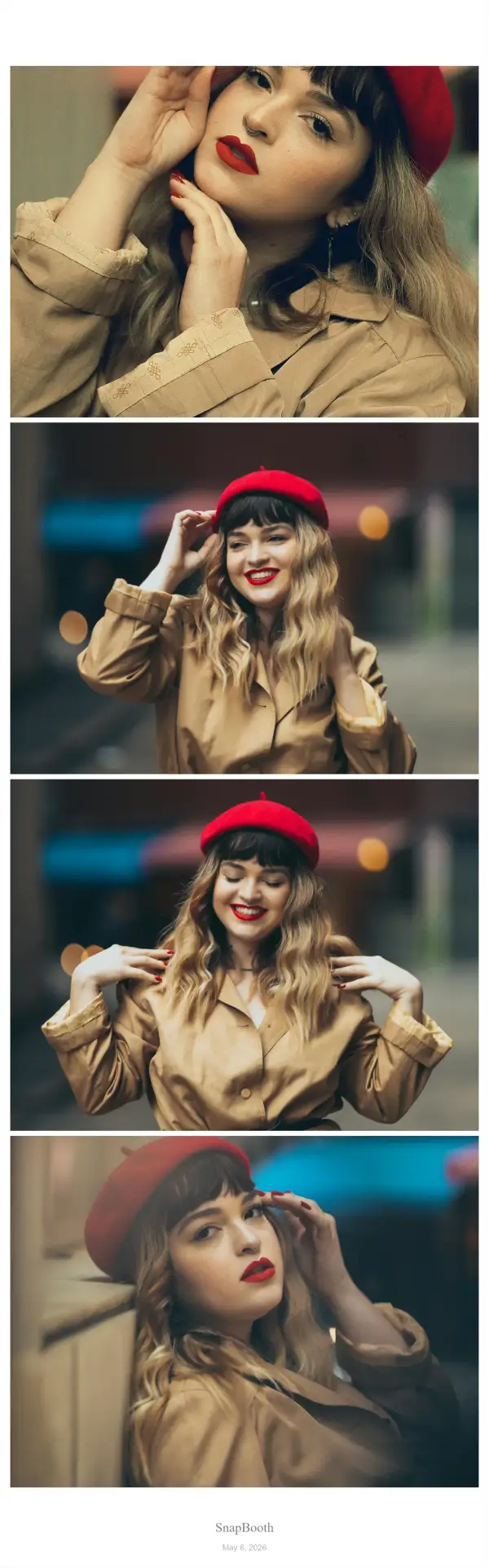
A Korean 4-cut photo strip is a tall, narrow print holding four photos stacked vertically, usually around 2 × 6 inches (5 × 15 cm). Four quick poses run back to back, and the finished strip comes out as a single piece you can tear in half and share.
The format exploded out of the self-service photo studios that spread across South Korea in the late 2010s, where it is known as 인생네컷 — insaengnetcut, literally "four cuts of life." Studio chains built the trend around a simple loop: walk in with friends, pose four times against a plain backdrop, get a strip in your hands within a minute. From there it travelled through K-pop fan culture and Instagram into the rest of the world.
What makes the strip work is the constraint. Four frames is enough to tell a tiny story — a straight shot, a laugh, a silly face, a hug — but few enough that nobody overthinks it. That's why the layout keeps outliving the studios it came from.
Not affiliated with any studio chain. BopBooth is an independent, free web app. Brand names are mentioned here only to describe the photo format they made popular.
Make one in your browser — 5 steps
The whole thing takes about two minutes and works on a laptop webcam or a phone camera.
- Open the 4-cut layout. Launch the booth with 4-Cut pre-selected and allow camera access when your browser asks. Nothing is requested until you tap the button.
- Choose a filter. The filter row sits above the camera and previews live, so what you see is what gets saved into the strip.
- Pose four times. Hit capture and go. A shot counter tracks where you are in the sequence, and you can retake if a frame doesn't land.
- Customize. Change the strip background colour, add a frame, drag on stickers, or type a caption in the bottom band.
- Download or share. Save a PNG, or export an Instagram Story (9:16) or Post (1:1) version with a background colour of your choice.
Getting four shots that actually look good
Studio booths get their look from bright, flat, even light and a plain background. You can fake most of that at home:
- Face a window. Daylight in front of you beats any lamp behind you. Backlighting is the single most common reason home strips look muddy.
- Find a blank wall. A clean background is what makes the four frames read as a set instead of four random snapshots.
- Get closer than feels natural. Each slot is small, so head-and-shoulders framing reads far better than full body.
- Plan a small arc. Straight face → laugh → silly → close together is the classic run, and it gives the strip a shape.
- Match your camera ratio to the layout. The 4-cut slots are landscape, so a 4:3 camera ratio crops most predictably.
Filters and frames that suit the 4-cut
The Korean booth look is generally cool-toned, slightly overexposed, and low-contrast — closer to a scan than a phone photo. Filters that land in that territory:
- B&W — the safest choice, and the most studio-accurate.
- Cool Tone — the closest match to the blue-white studio lighting.
- Vintage and Retro Digicam — warmer, grainier, with a burned-in date stamp for the 2000s compact-camera feel.
- Y2K Chrome and Coquette — frame styles rather than filters, for a chrome-metallic or soft-pink lace border.
There is a fuller breakdown of all 26 filters, grouped by mood, in the aesthetic filter guide.
For backgrounds, plain white is the default and the most faithful. Butter yellow, cherry red, mocha, and black all work if you want the strip to sit inside a specific palette — you can set any hex colour in the customize step.
Printing your strip
Download the PNG and print at 2 × 6 inches on photo paper for a result that matches a studio strip. If your printer or print service only handles standard sizes, the usual trick is to place two strips side by side on a single 4 × 6 print and cut them apart — which also gives you a spare to hand to whoever posed with you.
Other layouts worth trying
The 4-cut is the classic, but a few neighbours are worth a look:
- Puri 4-Cut — a slimmer vertical strip with portrait slots, closer to Korean puri booth proportions.
- 2-Cut Strip — two poses, the standard couples format.
- 6-Cut Grid — a 2×3 contact sheet when four frames isn't enough.
- 9-Cut Photo Dump Grid — a 3×3 grid built for Instagram, with a full guide.
- Polaroid Maker — a single shot with a wide white border and a caption line.
- GIF Boomerang — a looping animation instead of a still strip.
Questions about the 4-cut format
Is it really free?
Yes. Every layout, filter, frame, and sticker is free, there's no signup, and downloads carry no watermark. Display ads keep the site running.
Are my photos uploaded anywhere?
No. Capture, filtering, and strip assembly all happen locally through the Canvas API. Your camera feed never leaves your device, and closing the tab discards everything.
Can I use photos I already have instead of the camera?
Yes — the customize step lets you upload four existing photos into the strip slots instead of shooting new ones.
Does it work on iPhone?
Yes, in Safari or Chrome. Allow camera access when prompted. On iOS, downloading opens the share sheet so you can choose "Save Image" to send the strip to your Photos library.
How many people can fit in one strip?
As many as fit in frame — the layout doesn't care. Two to four people is the practical limit before faces get too small in a 2-inch-wide slot.